
SpeedCheck answers a simple question at exactly the right time: What’s the speed limit here?
Now you can check it quickly right from your Lock Screen with a Live Activity. SpeedCheck can prompt you automatically when it detects that you’re driving, so getting started is as easy as a tap. No route setup, no maps, no full navigation session required.
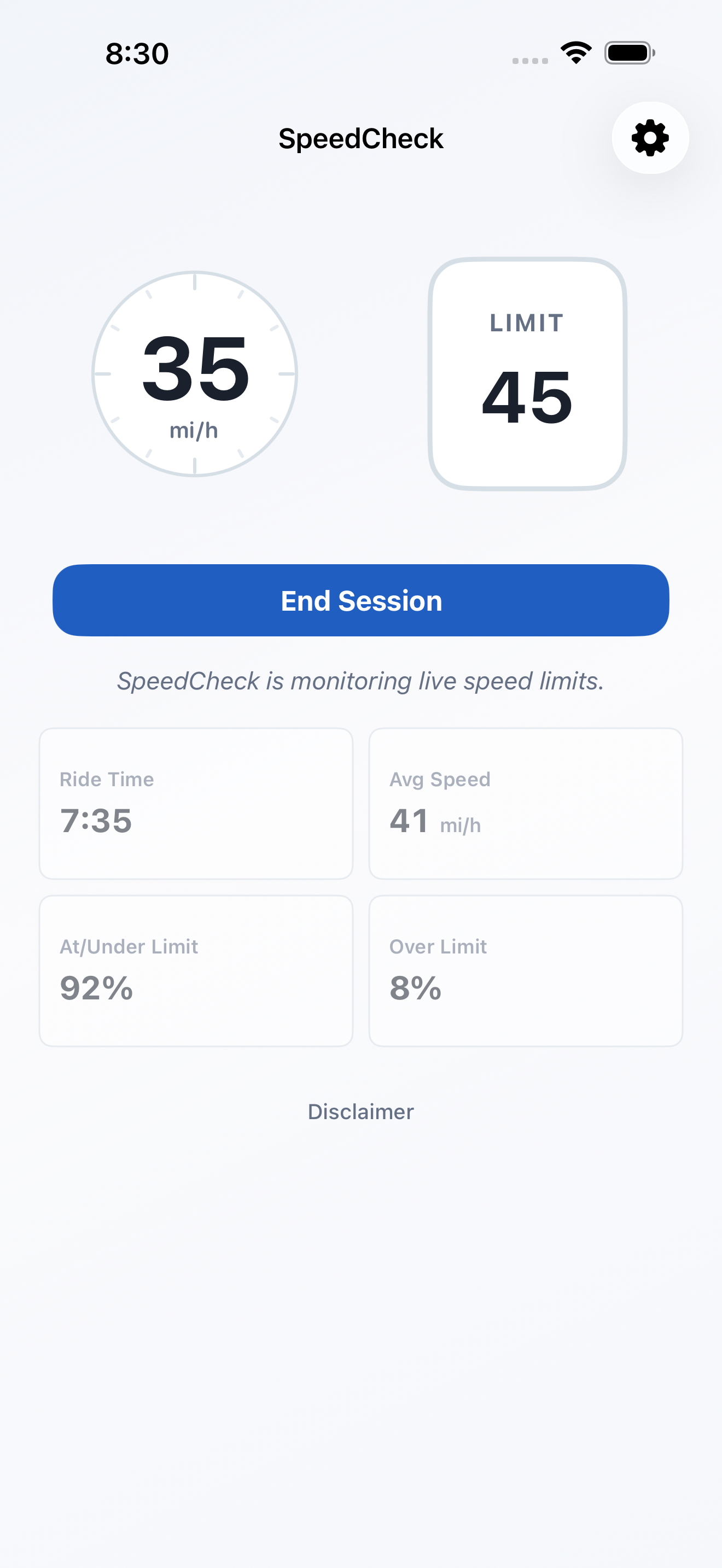
See your current speed in a large, easy-to-read display on your Lock Screen, in the app, and on CarPlay if you use it. In the app, you can also review useful stats for your current or most recent drive. With Premium, SpeedCheck adds posted speed limits, subtle over-limit awareness, and richer speed-limit-aware stats in a focused experience built for quick clarity.
Great for
- New drivers building confidence with local speed limits
- Daily drivers who regularly end up on unfamiliar roads
- Commuters dealing with detours, construction, and changing traffic patterns
- Parents helping new drivers build safer habits
- Delivery, service, and field-work drivers moving between neighborhoods
- Anyone who wants speed context without starting navigation
What makes SpeedCheck different
- Live Activity for quick checks from the Lock Screen and Dynamic Island
- Focused design for current speed and, with Premium, the posted limit
- Over-limit awareness using color, not sounds
- Ride stats for current and recent trips
- Automatic trip detection
- Lock Screen widget for one-tap access
- CarPlay support for another convenient way to use SpeedCheck
- Appearance options, including an Automatic mode that adjusts with the sun